
Restaurateur de photos IA
Restaurez les vieilles photos endommagées, rayées, décolorées ou floues avec l'IA. Téléchargez une vieille photo et redonnez-lui vie en quelques secondes.
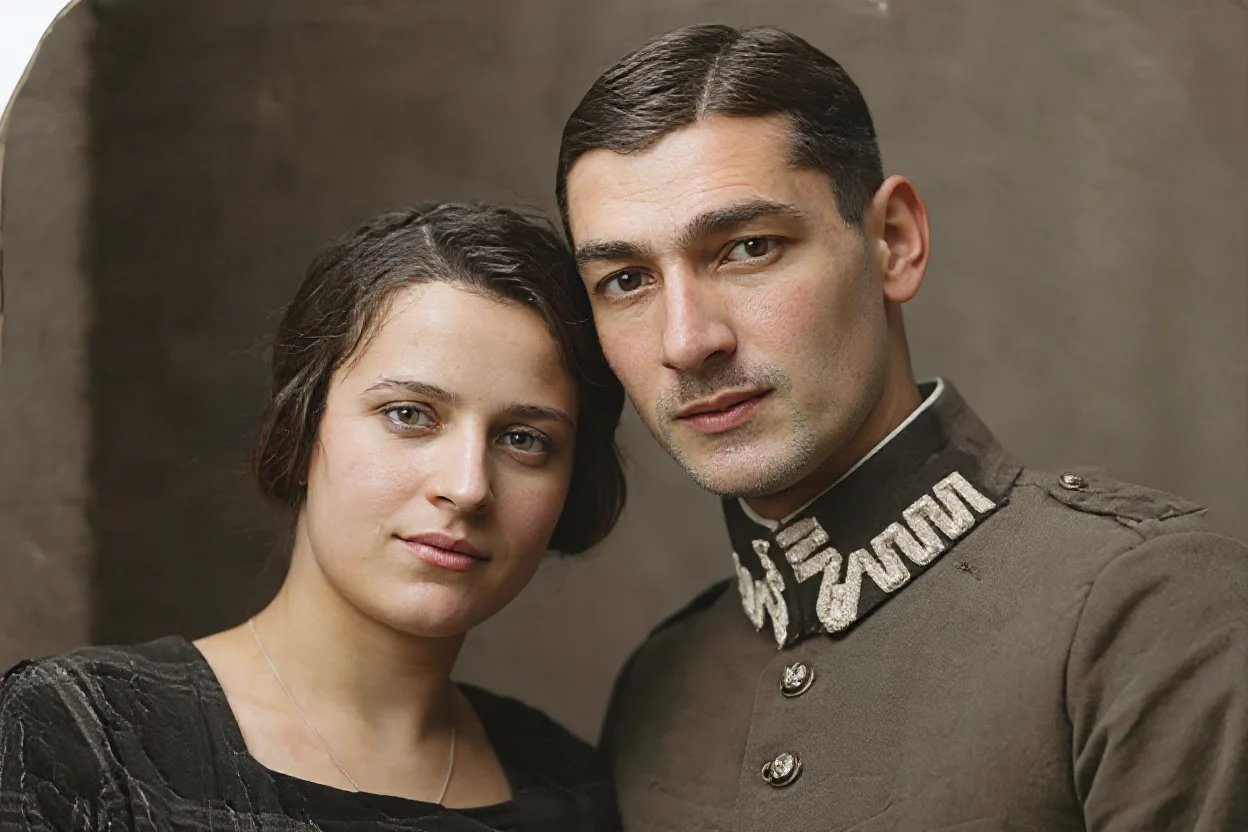
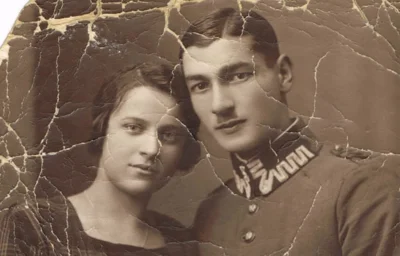
Sample preview — upload your photo to restore it
See It in Action
Real examples of AI photo restoration — original on the left, restored on the right.
BeforeAfterHow to Restore an Old Photo with AI
Three simple steps to bring your old photos back to life.
01
Upload Your Old Photo
Choose a JPG, PNG, or WebP image. Works best with scanned photos, old prints, damaged images, and faded or scratched photographs.
02
AI Restores the Photo
The AI model automatically repairs scratches, damage, blur, and fading — bringing your old photo back to life.
03
Download the Result
Preview the restored photo and download it for printing, sharing, or archiving your precious memories.
What Can You Do with AI Old Photo Restorer?
Repair, enhance, and preserve your most precious photographic memories.
Scratch & Damage Repair
Automatically detect and remove scratches, tears, stains, and physical damage from old printed photos.
Blur & Clarity Enhancement
Improve sharpness and clarity on blurry, low-resolution, or out-of-focus historical photographs.
Faded Photo Restoration
Restore faded colors and contrast on aged photos that have lost their original vibrancy over time.
Family Photo Preservation
Restore family portraits, wedding photos, childhood pictures, and generational memories for digital archiving.
Historical Photo Enhancement
Improve the visual quality of historical, archival, and documentary photographs for display or publication.
Scanned Photo Cleanup
Clean up artifacts, noise, and compression issues from scanned or digitized old photo prints.
AI Old Photo Restorer FAQ
Common questions about AI photo restoration — answered.
What types of photos can be restored?▾
The tool works on old printed photos, scanned images, damaged photographs, faded pictures, scratched photos, and low-quality historical images.
What image formats are supported?▾
JPG, JPEG, PNG, and WebP images are supported for upload.
What's the difference between Standard and Pro restore?▾
Standard Restore uses a classic photo restoration model optimized for scratches and damage. Pro Restore uses FLUX Kontext, a more advanced model that handles severe damage, fading, and complex restoration with better results.
Can it fix heavily damaged photos?▾
Pro Restore is recommended for heavily damaged, severely scratched, or badly faded photos. Standard Restore works well for light to moderate damage.
Will the restored photo look natural?▾
The AI is designed to restore photos while preserving the original look and feel. Results may vary depending on the severity of damage in the original image.
Can I use the restored photo for printing?▾
Yes. The restored image can be downloaded and used for printing, digital archiving, sharing, or framing.
Does it colorize black and white photos?▾
Pro Restore (FLUX Kontext) can improve and enhance black and white photos. For full colorization, a dedicated colorization tool is recommended.
AI-Powered Photo Restoration